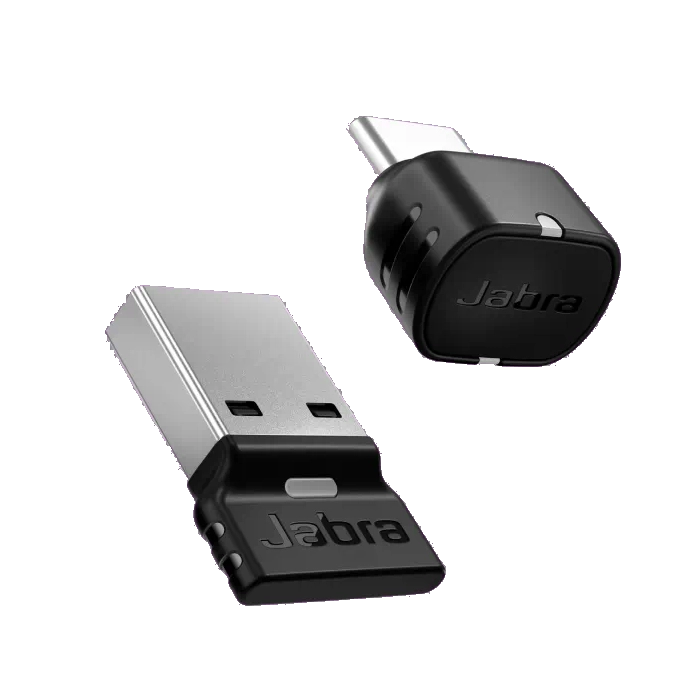
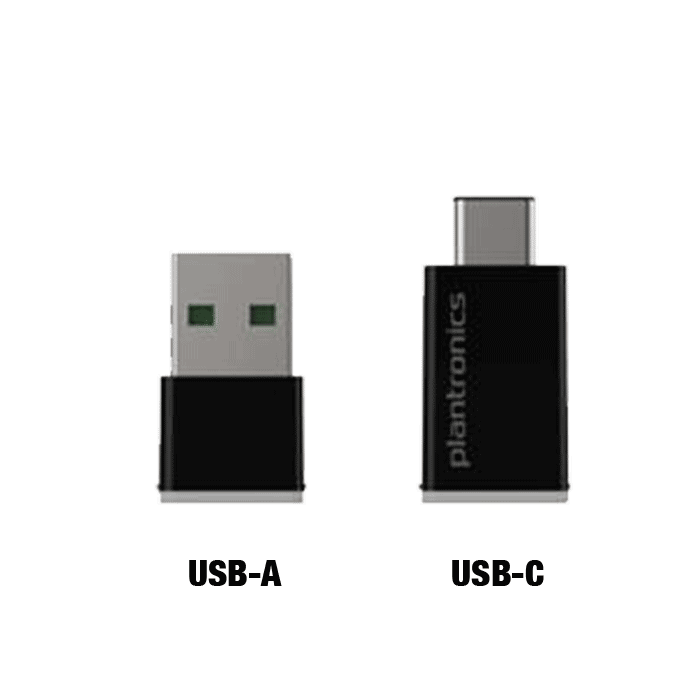
Better Connection, Better UC Performance For a headset to be UC-certified, most UC vendors require superior connectivity, which is guaranteed by a Bluetooth adapter. Jabra Link 390 Bluetooth adapter is available in two variants, one for Microsoft Teams-certified devices and one for UC-certified devices. So whatever platform you’re using, you can be sure you’re getting the gold standard in connectivity. The Freedom To Roam You need a stable wireless connection if you want to be able to walk and talk. Without a Bluetooth adapter, your device’s connection might get patchy over a relatively short distance. Jabra Link 390 is discreet and flexible, giving you maximum mobility and freedom of up to 30m/100ft wireless range. Enjoy multiple device pairing and a design that doesn’t add extra load to your laptop. Maximum Control, Minimum Effort Technology is better when it’s easy to use. Jabra Link 390 is plug-and-play – no need to install separate software drivers. It’s easy to manage through Jabra Direct, so you can push over-the-air software updates to all users in an instant, and there’s even a handy LED light which tells you the status of the headset, whatever computer or software you’re using. Sound That Won’t Let You Down Whether you’re sitting at your desk or not, your sound quality shouldn’t change. With Bluetooth 5.3 profile and HD Voice, Jabra Link 390 gives you rich sound quality, even when you’re away from your computer, allowing you to enjoy crystal-clear conversations and stream music in incredible HiFi sound quality. Link 390 keeps your headset sounding great, whatever you’re doing. Jabra Link 390 Technical Specifications UC Versions USB-A: 14208-42 / Jabra Link 390a UC USB-C: 14208-45 / Jabra Link 390c UC Microsoft Teams Versions USB-A: 14208-41 / Jabra Link 390a MS USB-C: 14208-44 / Jabra Link 390c MS The Jabra Link 390 Replaced / Updated: Link 380a USB-A SKU – 14208-26 Link 380c USB-C SKU – 14208-25 Link 380a Teams USB-A SKU – 14208-24 Link 380c Teams USB-C SKU – 14208-22 General info Box content: Jabra Link 390 Bluetooth adapter (UC or MS), Leaflet Weight: USB-A: 1.713g | USB-C: 1.515g Material: PC & PC/ABS plastic Certifications: Zoom, Google Meet (UC version) Microsoft Teams (MS version) Warranty: 2 years Jabra Model Number END085W (USB-A) END080W (USB-C) Ease of use USB desk phone supported: Yes Softphone supported: Yes Visual indicators: Multicolor LEDs indicate pairing, connection and on-call status plus other details Connectivity USB-A, USB-C Officially supported devices: Jabra Evolve 65 TE Jabra Evolve2 Buds, Evolve2 55, Evolve2 65, Evolve2 65 SE, Evolve2 65 Flex, Evolve2 75, Evolve2 85 Jabra Evolve Speak2 75 Wireless technologies Bluetooth standard: Bluetooth 5.3 Wireless range: Up to 30m | 100 ft Bluetooth audio bandwidth: Wideband, HD Voice, A2DP Supported Bluetooth profiles: A2DP v1.4, AVRCP v1.6.2, HFP v1.8 Simultaneous Bluetooth connections: 2 (Up to 8 Jabra devices remembered in the pairing list. Can be cleared with Jabra Direct) Software support & compatibilities Compatible software and/or apps: Jabra Direct, Jabra Xpress Compatible OS: Windows, Mac, Linux Extended info Operating temperature: -10° C to 60° C/14° F to 140° F Storage temperature: -10° C to 65° C/14° F to 149° F What the LED is indicating on the Jabra Link 390 Adapter: *Link 380 details listed above and may be different for Link 390 – No documentation has been published for Link 390 (as of 6/9/2025) How to pair the Jabra Link 390 adapter using Jabra Direct? Prerequisites Jabra Direct – latest version Jabra devices that include the Jabra Link Bluetooth adapter have been pre-paired out of the box. To pair an additional Jabra device with the Jabra Link Bluetooth adapter, or to re-pair a Jabra device with the Jabra Link Bluetooth adapter, follow these steps. Insert the Jabra Link Bluetooth adapter into a USB port on your computer. Make sure the Jabra Bluetooth device is turned on and within range. Put the Jabra Bluetooth device in pairing mode (as you would do when pairing it with a mobile device). Open Jabra Direct. Click Pairing. In Available Bluetooth devices, click Search. Select the device that you want to pair with the Jabra Link Bluetooth adapter and then click Connect to pair. The paired Jabra Bluetooth device will then be displayed in Paired devices. Note: Ensure that the Jabra Link Bluetooth adapter is set as the default audio device for the speaker and microphone in the audio settings of your computer. Images and text are for guidance purposes only. Actual images and text may vary depending on the connected device and updates to the software.